
ICD-10 Doc Guide3.0 - App Store
You'll be able to see results in few seconds.
Publisher Description
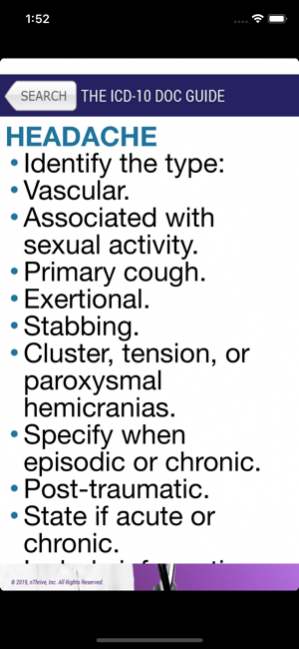
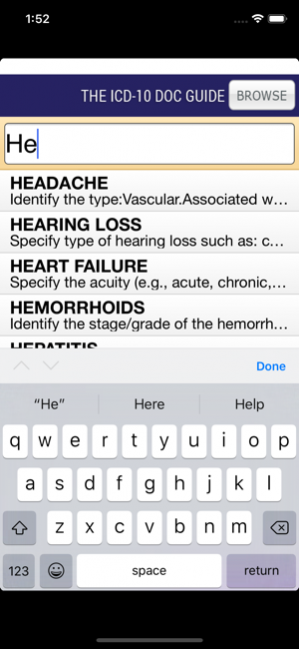
Developed by the leading ICD-10 educator in the United States, the nThrive Education ICD-10 Doc Guide app allows the user to enter the name of a condition or disease and receive the documentation tips and strategies to document the medical record with the specificity required for ICD-10 as well as improved documentation in ICD-9. This app is perfect for physicians, nurse practitioners, nurses, clinical documentation improvement specialists, and other clinicians who need a tool to quickly retrieve information on how to document the most common diseases and conditions. It is a great resource for any clinician to use in preparation for ICD-10 as well as to use in our documentation prior to the ICD-10 transition.
The app has hundreds of diseases and conditions and more diseases are added frequently. Forget the old paper-based pocket physician guides, the nThrive Education ICD-10 Doc Guide allows you to have the ease and power of pulling this information when you need it.
If you are interested in becoming a client or learning more about our comprehensive ICD-10 education solutions for hospitals, facilities, and physician offices, feel free to e-mail us at support@nthriveeducation.com.
Feb 27, 2019 Version 3.0
Application rebranded for nThrive.
Updated the underlying engine.
Update Doc Guide tips.
Improved initial load time.
About ICD-10 Doc Guide
The company that develops ICD-10 Doc Guide is nThrive, Inc. The latest version released by its developer is 3.0.
To install ICD-10 Doc Guide on your iOS device, just click the green Continue To App button above to start the installation process. The app is listed on our website since 2019-02-27 and was downloaded 0 times. We have already checked if the download link is safe, however for your own protection we recommend that you scan the downloaded app with your antivirus. Your antivirus may detect the ICD-10 Doc Guide as malware if the download link is broken.
How to install ICD-10 Doc Guide on your iOS device:
- Click on the Continue To App button on our website. This will redirect you to the App Store.
- Once the ICD-10 Doc Guide is shown in the iTunes listing of your iOS device, you can start its download and installation. Tap on the GET button to the right of the app to start downloading it.
- If you are not logged-in the iOS appstore app, you'll be prompted for your your Apple ID and/or password.
- After ICD-10 Doc Guide is downloaded, you'll see an INSTALL button to the right. Tap on it to start the actual installation of the iOS app.
- Once installation is finished you can tap on the OPEN button to start it. Its icon will also be added to your device home screen.
Program Details
System requirements
Download information
Pricing
Version History
version 3.0
posted on 2019-02-27
Feb 27, 2019 Version 3.0
Application rebranded for nThrive.
Updated the underlying engine.
Update Doc Guide tips.
Improved initial load time.
version 2
posted on 2012-08-01
Disclaimer
Official App Store Link
We do not host ICD-10 Doc Guide on our servers. We did not scan it for viruses, adware, spyware or other type of malware. This app is hosted by Apple and passed their terms and conditions to be listed there. We recommend caution when installing it.
The App Store link for ICD-10 Doc Guide is provided to you by apps112.com without any warranties, representations or guarantees of any kind, so access it at your own risk.
If you have questions regarding this particular app contact the publisher directly. For questions about the functionalities of apps112.com contact us.
